
 Close
Close


Solution
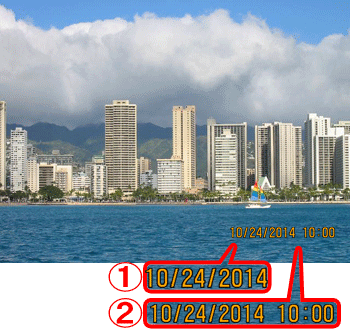
The camera can add the shooting date to images, in the lower-right corner.
For a list of shooting modes in which the [Date Stamp] setting can be configured, please refer to the table below.
Caution
Caution
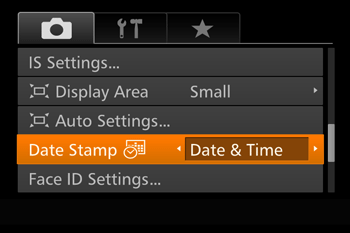
The procedure for adding a date stamp to images during shooting is explained below.
1. Press the ⋖Power⋗ button to turn the camera on.
2. Press the ⋖MENU⋗ button, and choose the [Shooting] (
3. Press the ⋖


Press the ⋖MENU⋗ button to complete the setting.
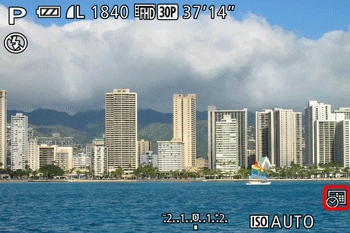
4. When [Date Stamp] is set to [Date] or [Date & Time], [ 
5. The [Date Stamp] will be added to the images as shown below:


Caution
It is not possible to edit the displayed date, color, style, or position of date stamps.
| Model | Shooting modes in which the [Date Stamp] setting can be configured |
|---|---|
| PowerShot SX60 HS |  *, *,  *, *,  , ,  , ,  , ,  , ,  , ,  , ,  , ,  , ,  , ,  , ,  , ,  , ,  |